 Back to Work
Discord automation / Collaboration workflows
InkBot
- Role
- Designer / Developer
- Discipline
- Discord automation / Collaboration workflows
Project imagery
Focus
- Discord automation
- Collaboration workflows
- Role targeting
- Interaction states
Core feature
- Group Request / SOS recruitment flow
01 / Collaboration workflow
How could people recruit collaborators inside Discord?
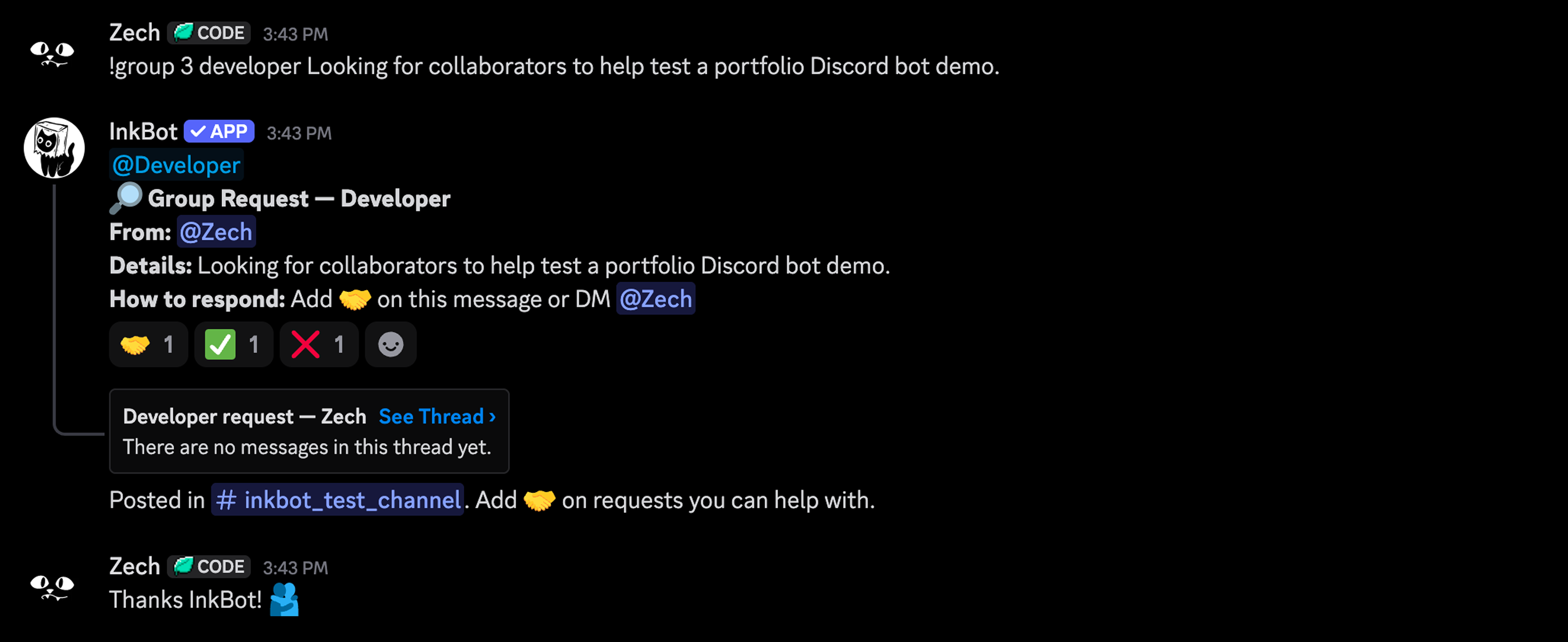
InkBot started as a tool to help me manage the InkVein Discord server more effectively. I had a few moderation and community commands in mind, but the main feature I wanted was a better way for people to find and recruit collaborators directly inside Discord.
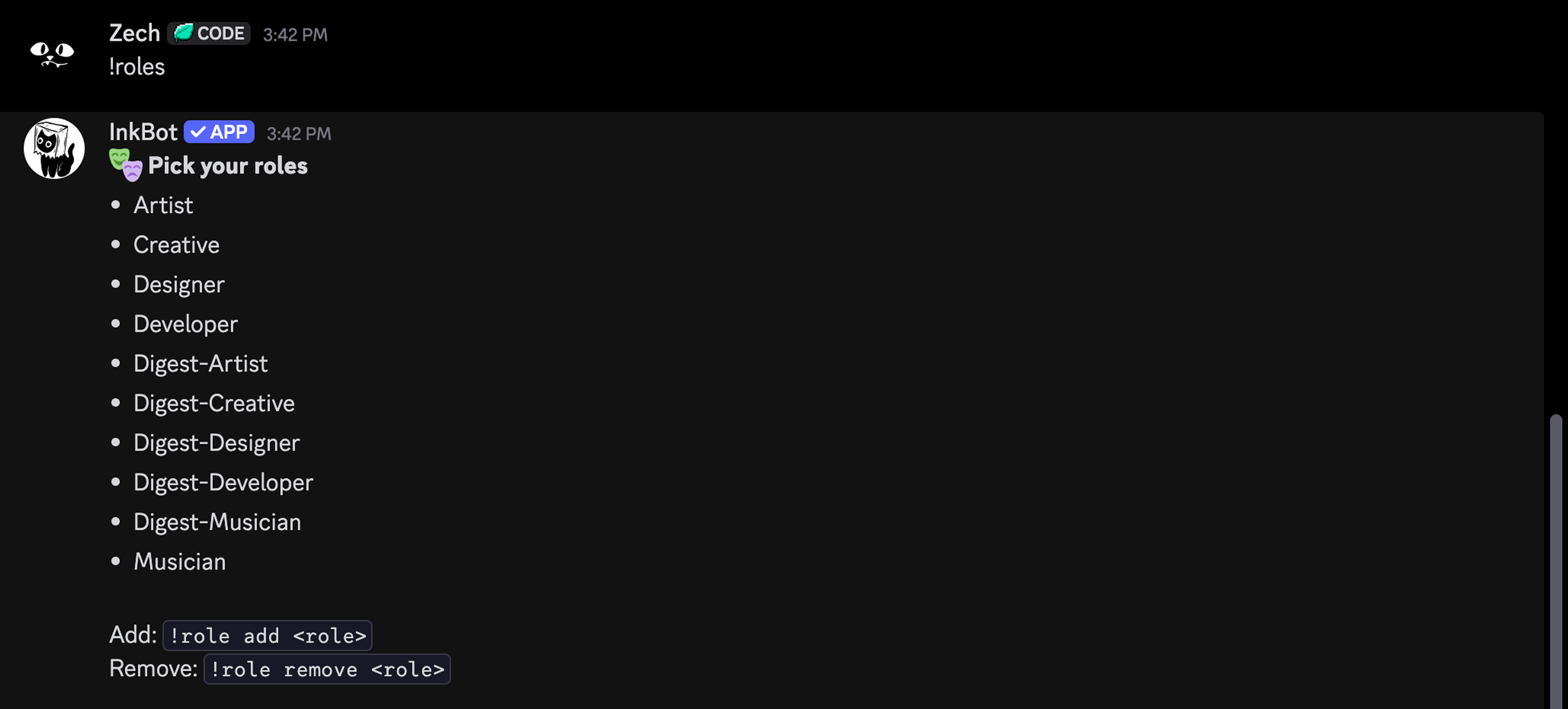
The core command was a Group Request. A user could specify how many collaborators they needed, which Discord role they were looking for, and a short description of the work:
!group 3 developer Looking for help building a portfolio bot demo.Group Request workflow

02 / Participation state
What would I improve next?
InkBot would then format that into a structured request, tag the relevant role, show who created it, explain the project, and tell members how to respond. Members could join by reacting with 🤝 or contacting the request owner directly.
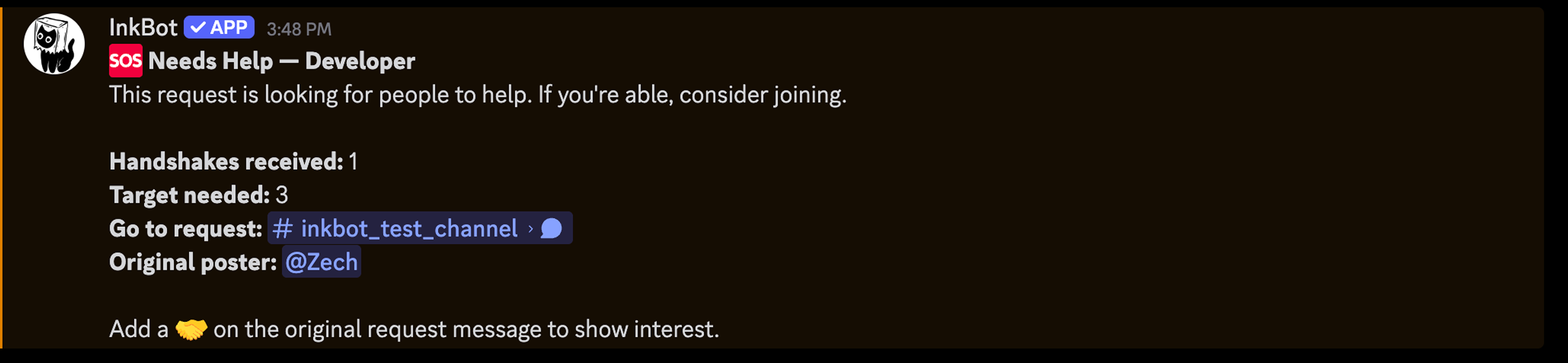
If the request did not reach its target number of collaborators with in an specifyed time, then InkBot could send an SOS style follow up to the relevant roles, giving the request another chance to reach people who might be able to help before the request's TTL expires.
If I continued the project today, one of the first improvements I would make would be clearer participation state. For example, when someone joins a request, InkBot could post “@Player joined the request” so the group owner could quickly see who has committed without manually checking reactions.
For the portfolio, I’d probably add a small metadata block under it like: